Troubleshooting
App Picker Issues
Use these steps if the Screen Time app picker freezes or crashes while selecting apps, categories, or websites.
Back to Help Center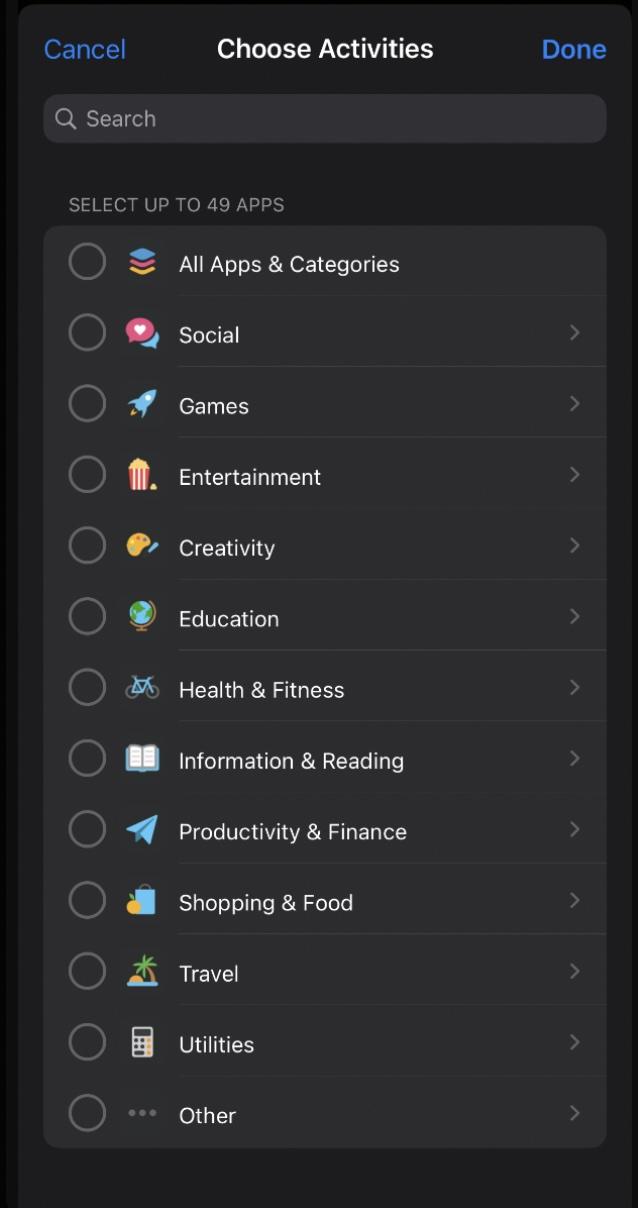
Known issue with Apple's Screen Time API
Although this usually works as intended, Achieve may freeze or crash when you select the "Other" category or browse several open categories for specific apps or websites. We have escalated this to Apple and are waiting on a platform-level fix.
What to try
- 1Close any categories that you have left open while searching.
- 2Try typing a single letter in the search bar first.
- 3Type the app or website name in another app, then paste it into the search bar.
- 4Force close Achieve, check for iOS and app updates, and try again.
- 5As a last resort, delete and reinstall Achieve after confirming your account is set up and synced.
App Categories Selection Screen
Still stuck?
If this issue keeps happening, contact support so we can track the exact failure pattern and update the guide.